 Register AqctCallFraud Integrations and WebHooks
|
<< Click to Display Table of Contents >>
|
  
|
Add and Remove Incoming Phone Calls WebHooks
Wen enter, it display:
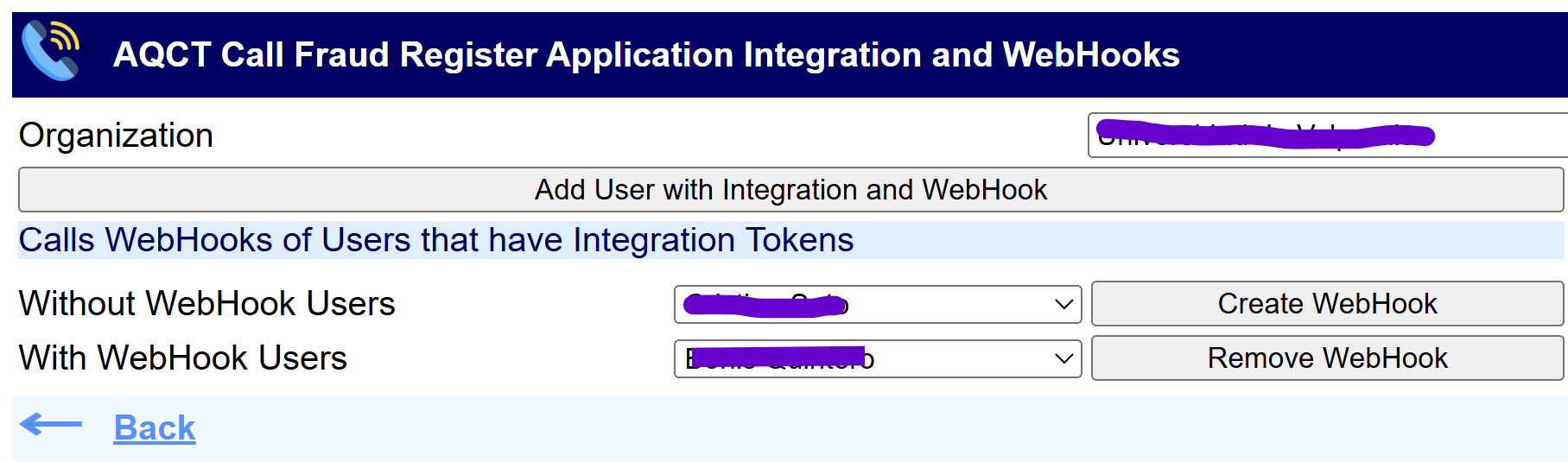
That show:
•Webex Organization with which you are operating
•Button Add User with Integration and WebHook to generate Integration Tokens from User entered in the Webex OAut website and Add New Incoming Phone Calls WebHook of this User
•Combo box with Integrated Webex Users Without Incoming Phone Calls WebHooks and button Create WebHook to Create New WebHook for selected User
•Comb box with Intergrated Webex Users With Incoming Phone Calls WebHooks and button Remove WebHook to Remove selected User
•<-- and Back Link to return to Configuration Options page
Add User with Integration and WebHook
When press button Add User with Integration and WebHook to generate Integration Tokens from User entered in the Webex OAut website and Add New Incoming Phone Calls WebHook of this User, appear web page that interact with Webex OAut website:
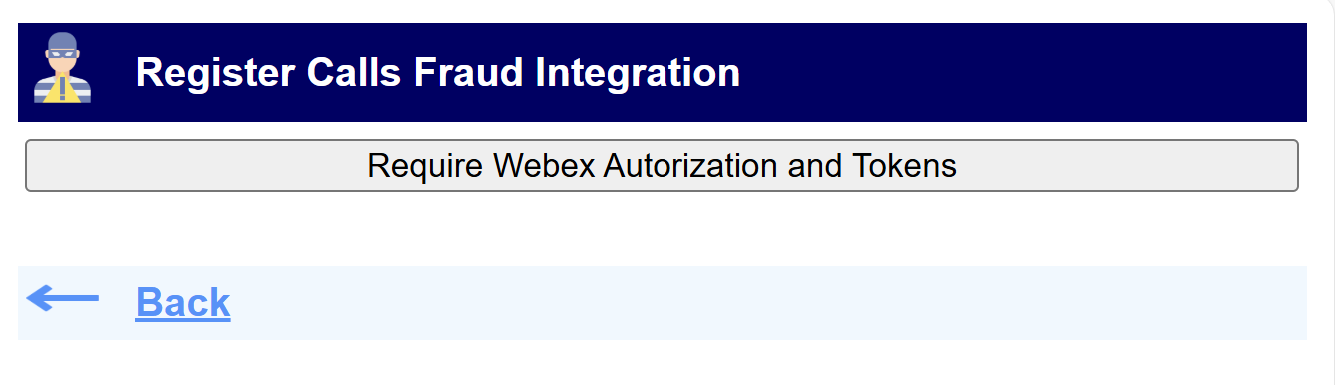
Tho begin Integration press button Require Webex Autorization and Tokens, appearing Webex OAut website:
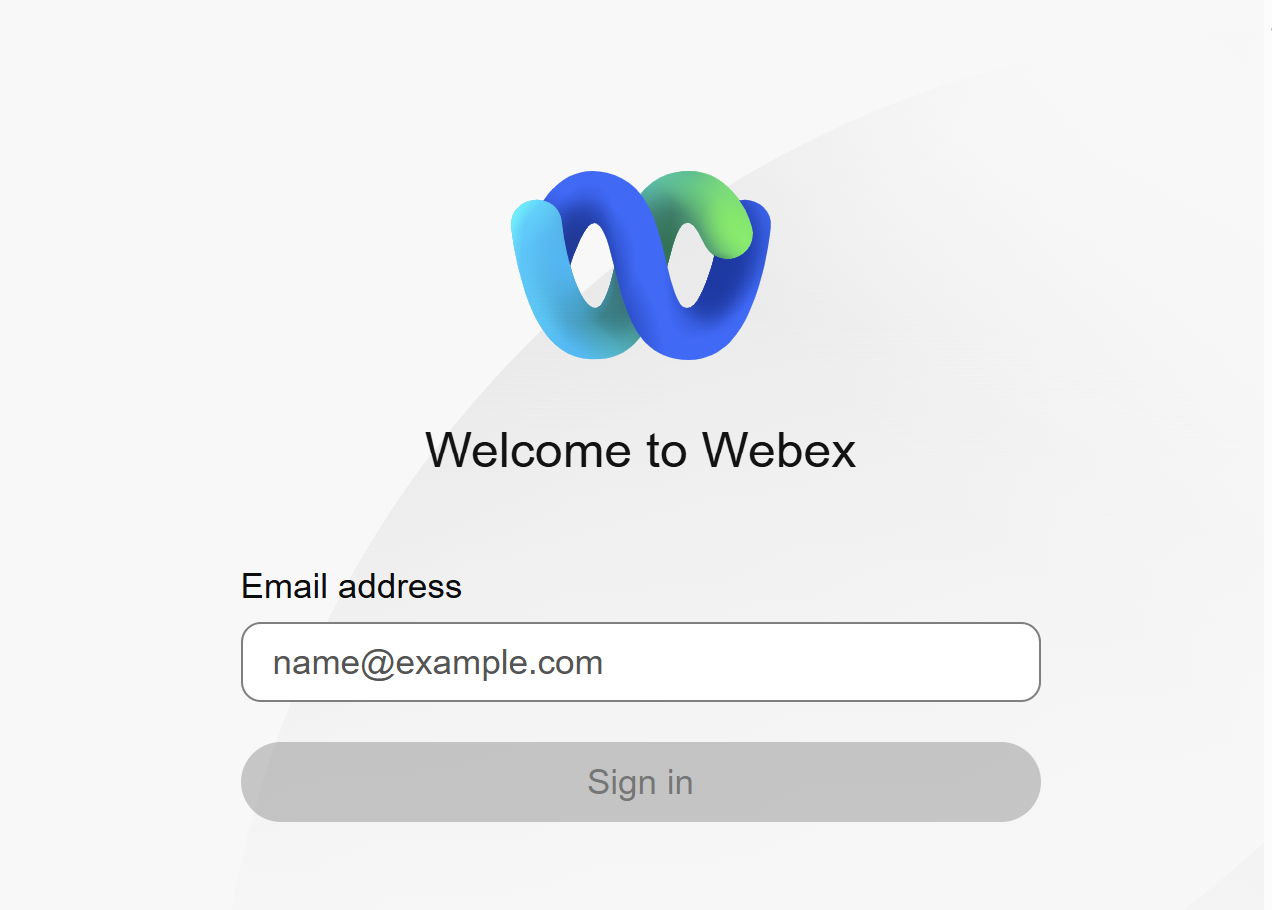
Enter the Credentials (Email ad Password) of Webex User who will be Integrated, returning to original Integration web page
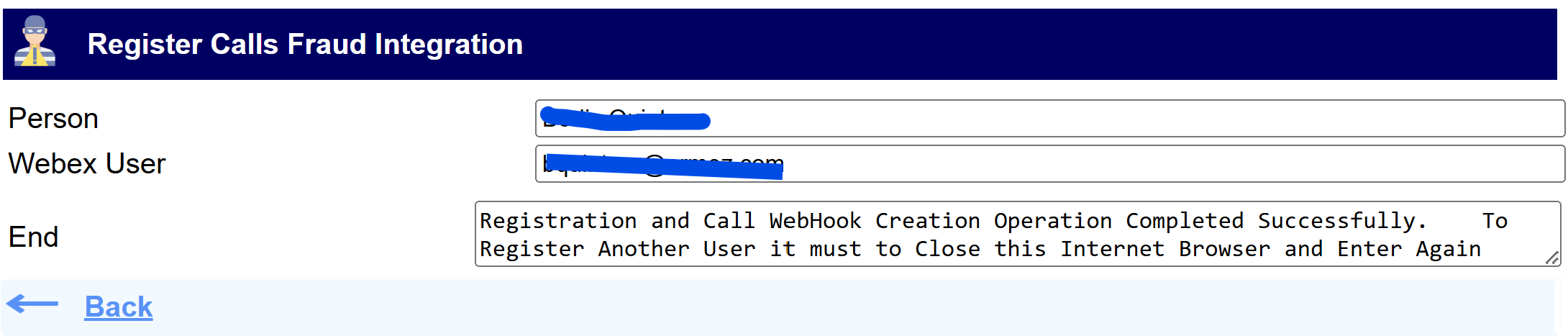
That show:
•Person name of webex User
•Webex User (Email)
•Text box with 2 messages:
oSuccessful Completion
oWarning Message to Close Web Browser
It's very important that Close your Web Browser to Log Out of a Webex OAut website.
And Send the following Message to the User that Created de Incoming Phone Calls WebHook:

indicating the User Telephone Numbers and Extensions that will be generated Incoming Phone Calls WebHooks